

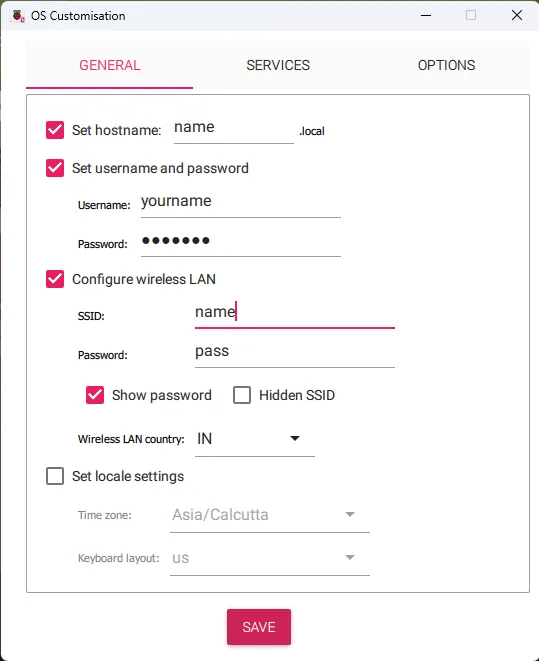
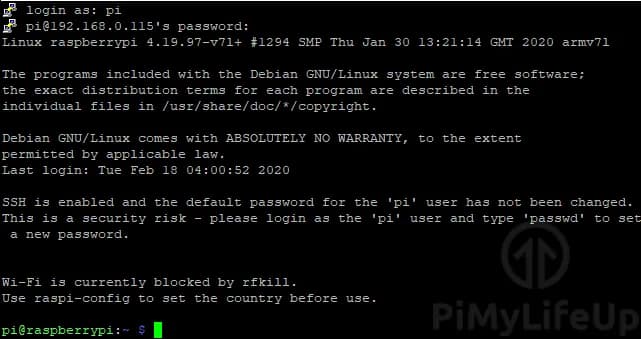
# Use the hostname you set in the Imager. The Zero 2 W has no Ethernet, so
# this only works once it has joined the Wi-Fi you configured.
ssh embed@zero2.local

# or by IP, from your router's client list:
ssh embed@192.168.1.42sudo apt update
sudo apt full-upgrade -y
sudo reboot# Optional: make the Zero appear as a network device over the USB data port,
# so it works with no Wi-Fi at all. Edit these two files on the SD card's
# boot partition from your computer, before first boot.
# 1. In config.txt, add this as the LAST line:
dtoverlay=dwc2
# 2. In cmdline.txt, insert this immediately after 'rootwait'
# (all on ONE line - that file must never contain a line break):
modules-load=dwc2,g_ether# 512 MB goes fast. Check what is actually free, and how hard it is swapping:
free -h
# Watch memory live while something builds:
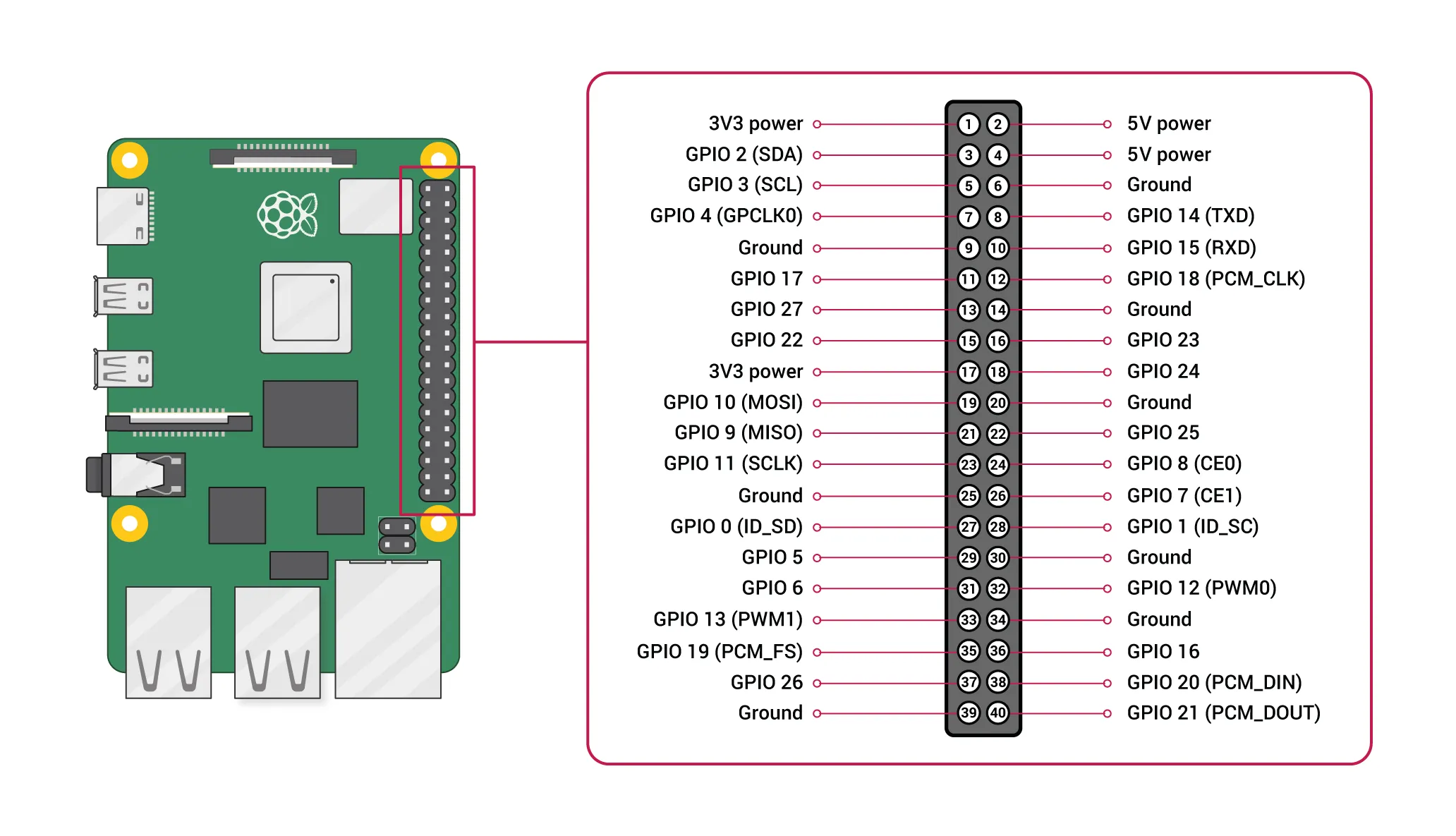
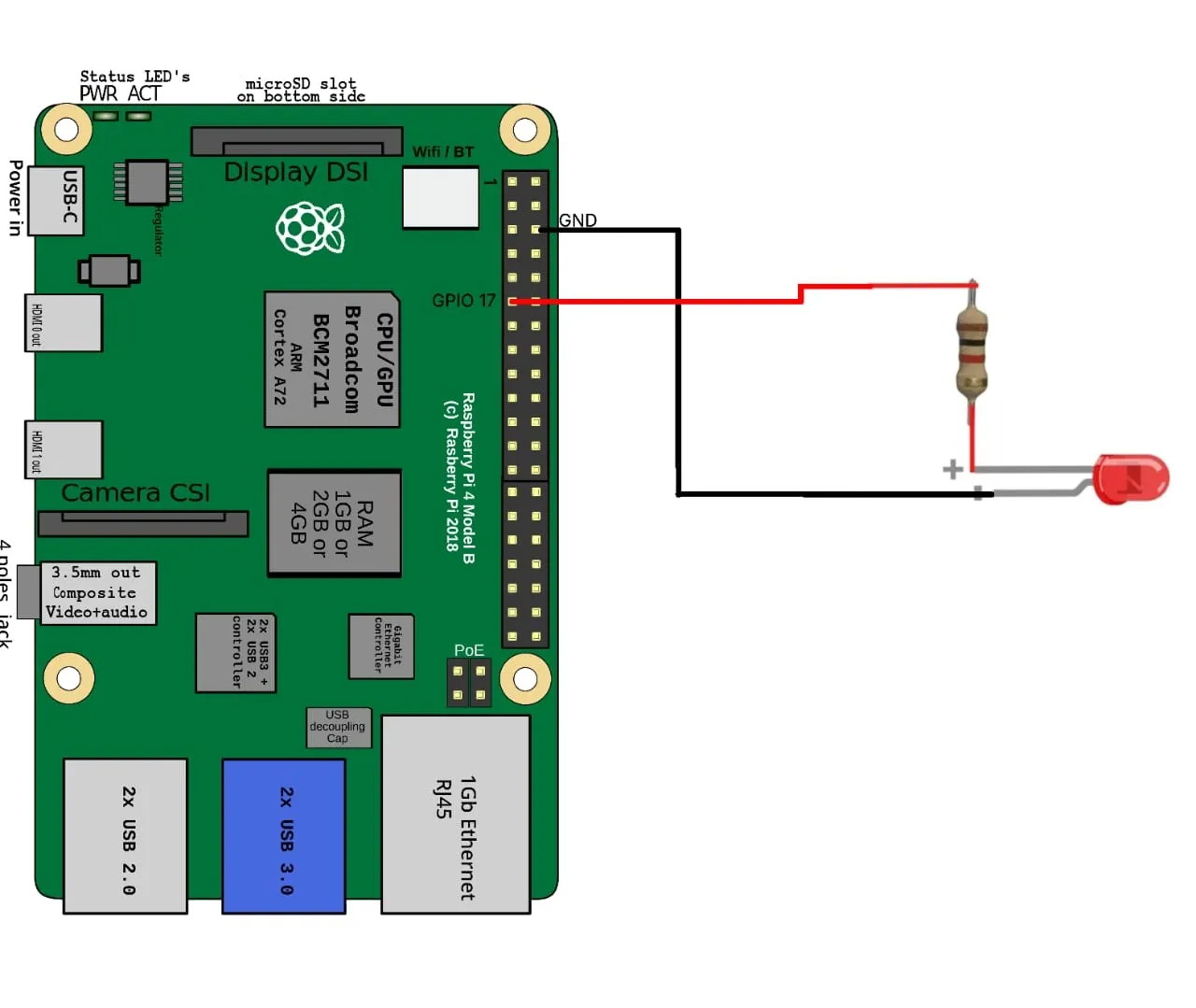
htop# blink.py - GPIO17 (physical pin 11), same header as every other Pi.
# Wiring: pin 11 -> 330 ohm resistor -> LED anode; LED cathode -> pin 9 (GND).
from gpiozero import LED
from time import sleep
led = LED(17)
while True:
led.on()
sleep(1)
led.off()
sleep(1)